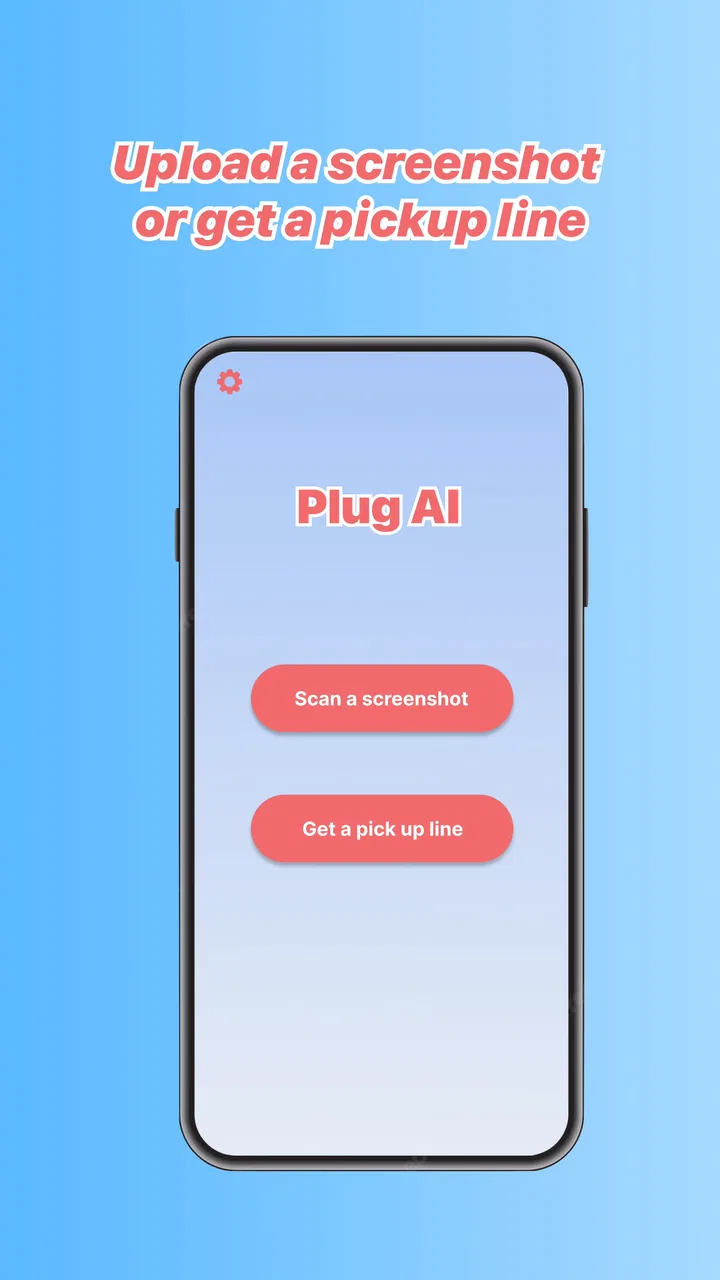
Plug AI: Texting Assistant
- 2.4
- Rating
- 1.00M
- Installs
- Free
- Price

 Analysis by App-foxy
I tested Plug AI: Texting Assistant as a lifestyle app for people who want help shaping dating messages. Its central idea is simple: use AI to reduce the pressure of starting, continuing, or polishing a conversation. In practice, that makes it most interesting for users who know what they want to say but struggle with tone, timing, or finding a natural opening.
My reaction was mixed but useful. The concept can save effort in a very specific situation, especially when a blank message box makes a dating conversation feel harder than it should. At the same time, an AI writing assistant cannot understand chemistry, consent, personal boundaries, or the full emotional context of a relationship as well as the person involved. I found the app more valuable as a drafting partner than as an automatic replacement for my own judgment.
That distinction matters because the app is free to install, but its in-app purchases are listed at $4.99 per item. It is marked for mature users aged 17 and over, which fits its dating-focused purpose. Vert Media Partners is the developer, and the app has reached over a million installs, although its average rating is 2.4 from around 4.4 thousand ratings. I would treat that rating as a reason to test it carefully rather than assume that the idea alone guarantees a smooth experience.
You May Also Like

 Blood Strike: 2.5 Anniversary
Blood Strike’s Loadouts Turn Every Drop Into a Tactical Gamble
A close look at Blood Strike’s custom loadouts: how fast access to signature weapons reshapes its battle royale rhythm, rewards preparation, and narrows the gap between fights.

 Pandora - Music & Podcasts
Pandora’s Music Is Easy to Start, but Harder to Recover
Pandora’s strength is its low-effort path from a seed to a station. Its weak spot is how much confidence it asks you to place in connection, setup, and quiet recovery.

 8 Ball Pool
 Is Built on Rivalries, Rematches, and Routine
A close look at the rivalries, rematches, shared routines, and unanswered safety questions that turn a quick pool match into a persistent mobile community.

 Samsung Music
’s Quiet Strength Is Playing What You Already Own
Its reach comes less from spectacle than from dependable access to a personal library. That simplicity is both the app’s strongest retention engine and its ceiling.

 AccuWeather: Weather Radar
AccuWeather Review: A Quick, Clear Forecast for Everyday Decisions
For everyday plans, the best forecast is the one you can understand quickly. AccuWeather makes rain timing, radar, and local conditions easy to act on, with a few trade-offs.

 Hill Climb Racing
Why Hill Climb Racing Still Turns Crashes Into One More Run
A tiny car, a bumpy hill and one more upgrade: Hill Climb Racing keeps resurfacing because its simple chaos makes every near-miss feel personal.
More From Our News Desk



How Plug AI: Texting Assistant feels to use in real conversations
I focus here on the practical experience of using an AI assistant for dating messages: the value is less about producing a clever line and more about making a hesitant first draft easier to shape. I’ll look at how that help fits into an ordinary exchange, then consider when it supports your voice and when writing unaided is the better choice.
Readability and navigation affect whether the help feels useful
The most important accessibility question here is not simply whether the text is readable. It is whether the app lets me move from uncertainty to a usable message without adding another layer of confusion. A dating assistant has a narrow job: I should be able to understand what it wants from me, enter enough context, review the result, and decide what to send.
That workflow is also where I would judge the app against ordinary alternatives. A general AI chatbot can rewrite a message, and a phone keyboard can offer spelling or predictive suggestions. A dating-focused assistant has a potential advantage because the goal is more specific: it can help me think about flirtation, warmth, confidence, or a reply that keeps a conversation moving. The benefit is not that every suggestion will be better. The benefit is that the task is framed around a dating exchange rather than general writing.
I found that the best results came when I treated the generated text as a first draft. Short, clear context is easier to inspect than a long personal history. For example, I would describe the situation in plain language, mention the tone I wanted, and then check whether the result sounded like something I would actually say. This is a useful workflow for users who find large blocks of generated text tiring: ask for one concise option, not a collection of elaborate speeches.
Readability also includes emotional readability. A grammatically polished message can still feel too intense, too familiar, or strangely formal. I recommend reading every suggestion aloud before sending it. That quick test exposes awkward phrases that may look acceptable on screen but sound unnatural in a real conversation. It also helps users who process spoken language more easily than dense written text.
Someone with dyslexia, attention difficulties, or limited confidence in written English may appreciate the ability to begin with rough thoughts instead of composing a perfect message immediately. The app’s value in that situation is not just correction. It can lower the effort needed to turn scattered ideas into a coherent reply. However, users should still check names, pronouns, humor, and details because an AI-generated draft may smooth away exactly the personal detail that makes a message feel genuine.
Small writing choices matter more than impressive wording
One of my strongest practical tips is to ask for a message that preserves a specific detail from the conversation. Generic compliments are easy for an AI to produce, but they are also easy for the recipient to recognize as generic. A better prompt describes the person’s interest, the previous topic, or the question I want to ask next. The result is more useful when the app has something concrete to work with.
A second tip is to request a range of intensity rather than accepting the first answer. A light response, a direct response, and a playful response serve different situations. This lets me compare tone instead of blindly copying one suggestion. It is particularly helpful for users who have difficulty judging implied meaning, because seeing alternatives makes the social trade-off more visible.
There is a limit, though. More options can create decision fatigue. If I ask for too many variations, the assistant becomes another source of work. I prefer choosing one target tone and asking for a short draft. That keeps the app in a supporting role and makes the final decision manageable.
Motor and sensory considerations are tied to the phone experience
For users with motor limitations, the practical question is how much typing, tapping, editing, and switching between apps the workflow requires. An assistant can be helpful when composing a message from scratch is physically tiring, but generated text still needs review. Copying, correcting, and sending a draft may involve several actions, so the app is not automatically low-effort just because it produces words.
I would use it most carefully when my hands are tired or when I am trying to respond quickly. In those moments, a short prompt can reduce the amount of typing, but I would avoid rushing through the review. A wrong name or an overly personal sentence is more damaging than taking an extra moment to edit. Voice input on the phone may also help some users create the initial context, although the quality of the final message still depends on checking the transcription and the generated wording.
Users with visual sensitivities may prefer short outputs and a predictable review routine. I found that asking for one concise message is easier to scan than comparing several long alternatives. Breaking the process into three steps—describe the situation, choose the tone, inspect the draft—also reduces visual and mental clutter. This is not a special accessibility mode; it is a way of using the app that makes its core task less overwhelming.
For people who are hard of hearing, the app’s text-centered purpose can be more convenient than advice built around audio interaction. The important information is present in written form, so the basic concept does not depend on hearing a spoken suggestion. On the other hand, users with low vision may need to rely on their device’s existing text enlargement or screen-reading tools, and the experience will depend on how well the app’s interface works with those settings. I would test the main drafting path before paying for any optional item.
Situational access: when the assistant helps and when it gets in the way
The clearest everyday use case is a conversation that has not failed but has stalled. Imagine matching with someone who mentioned a local restaurant, a hobby, or a recent trip. I might want to show interest without turning the reply into an interview. I can give the assistant that detail, ask for a friendly question, and then edit the result so it reflects my own voice. In that scenario, the app removes a small barrier without pretending to create a relationship for me.
It can also help someone who is anxious about being misunderstood. A user may write a direct message and ask for a warmer version, or write a playful idea and ask for something less intense. That kind of adjustment is more useful than asking the app to “sound attractive” because it gives the writing a clear social purpose. The user remains responsible for deciding whether the tone is appropriate.
Another worthwhile use is preparing before opening a dating app. Someone with limited energy may draft a few conversation starters in advance, then adapt one when a real match appears. This can make dating feel less dependent on quick reactions. I would still avoid building a library of messages that are sent unchanged. Preparation should reduce pressure, not make every conversation sound identical.
The app may be especially appealing to people who are neurodivergent or who find unwritten dating conventions difficult to interpret. Asking for a neutral explanation of how a message might come across can provide a useful second perspective. But the assistant should not be treated as an authority on social rules. Dating norms vary by person, culture, age, and relationship goal, and an AI suggestion can sound confident while missing an important nuance.
There are situations where I would not use it at all. I would not rely on it for a sensitive conversation involving consent, harassment, a breakup, a safety concern, or a serious misunderstanding. Those moments require clarity and personal responsibility, not a polished phrase. If the other person has expressed discomfort or a boundary, the right response should come from me and should respect that boundary without trying to optimize the wording.
Privacy, authenticity, and the cost of convenience
Because the app works around personal conversations, I would avoid entering identifying details that are not necessary. Names, workplaces, addresses, private histories, and screenshots containing other people’s information do not improve every draft. A safer habit is to summarize the situation rather than paste an entire conversation. That also makes the output less likely to copy a private phrase out of context.
Authenticity is the biggest trade-off. The more completely I let the app write for me, the less the message reflects my own voice. That can create a mismatch when the conversation continues and the other person expects the same style. I get better long-term results by using the assistant for structure, tone checks, and alternatives, then adding a personal sentence myself.
The purchase model is another consideration. Since the app is free to start and individual in-app items cost $4.99, I would not spend immediately just because a suggestion looks polished. First, I would test whether the free experience fits my writing style and whether it helps in the situations I actually face. A paid item is only worthwhile if it solves a recurring problem rather than providing a novelty I use once.
The app’s current version is 1.2.0 and it supports devices running Android 5.0 or later. That broad minimum requirement may make it available to people using older Android hardware, but availability is not the same as a comfortable experience. Older phones can make typing, switching screens, or reviewing text feel slower, so I would judge it on the device I plan to use rather than assume that technical compatibility means equal convenience.
Remaining barriers that limit the promise
The first barrier is the need for precise self-editing. An assistant can help generate a sentence, but it cannot reliably decide whether the suggestion crosses a personal boundary or sounds unlike me. Users with limited literacy may gain confidence from a draft while still needing help spotting subtle pressure, sarcasm, or unintended implications. The app lowers the writing barrier, but it does not remove the social judgment required afterward.
The second barrier is context. Dating messages often depend on details that are difficult to summarize: an earlier joke, a change in response speed, or a feeling that the conversation has become uncomfortable. If I provide too little context, the answer becomes generic. If I provide too much, the process becomes tiring and may expose private information. Finding that middle ground is a skill the user still has to develop.
The third barrier is emotional dependence. Someone who already doubts every message may end up checking each sentence repeatedly through the assistant. That can make dating more stressful rather than less. I would set a simple limit: use it for one draft or one tone check, make the final edit, and move on. If the app encourages endless optimization, it is no longer helping me communicate naturally.
The relatively low average rating also makes me cautious. Around 190 written reviews accompany that rating, so I would expect a range of experiences rather than assume the app works equally well for everyone. I would pay attention to how quickly I can reach the main task, how understandable the generated suggestions are, and whether the purchase prompts interrupt the workflow. Those details matter more to me than the promise of AI itself.
Who should try it, and who should choose another tool
I think Plug AI: Texting Assistant is best for a user who already knows the feeling or idea they want to express but needs help turning it into a readable dating message. It is also a reasonable option for someone practicing different tones, preparing conversation starters, or checking whether a draft sounds warmer or more direct. Users who benefit from external structure may find that focused purpose easier than starting with a general chatbot.
I would recommend a regular keyboard or a general writing tool instead when the need is mainly spelling, grammar, dictation, or accessibility support across many kinds of messages. A general AI assistant may be better for longer explanations, relationship reflection, or a conversation that is not specifically about dating. The specialized app has a narrower purpose, and that focus is helpful only when the problem matches it.
I would also skip it if I want an app to make dating decisions for me. It cannot determine whether someone is trustworthy, whether a match is genuinely interested, or whether I should continue a conversation. It can help phrase a question, but it cannot replace attention to behavior and boundaries. For users who prefer completely personal communication, writing directly may feel more honest and less complicated.
My inclusive verdict after using it
Plug AI: Texting Assistant works best as a small communication aid, not as an invisible co-author. Its focused dating purpose can make a difficult blank screen feel more approachable, especially for users who need help with tone, structure, or confidence. The strongest workflow is deliberately modest: provide limited context, request a concise draft, compare the tone with the situation, and rewrite enough of it to sound like yourself.
From an inclusion perspective, I appreciate that the idea can support people who find fast, ambiguous texting difficult. It may reduce typing effort, offer a clearer starting point, and make social choices easier to examine. Still, those benefits depend on readable output, manageable navigation, careful privacy habits, and the user’s ability to review what the assistant produces. No AI label should be mistaken for a guarantee that every person or situation will be supported equally well.
My final recommendation is cautious rather than enthusiastic. Try the free version with a low-stakes conversation, avoid sharing unnecessary personal details, and judge the result by whether it helps you communicate more like yourself. If it does, the app can be a useful companion for occasional dating-message problems. If it makes you second-guess every word, pushes you toward generic lines, or adds more steps than ordinary typing, the simpler alternative is probably better.
For me, that makes Plug AI: Texting Assistant a niche lifestyle app with a worthwhile idea and clear limits. I would keep it available for moments when I need a second draft, but I would never let it decide what I mean, what I owe another person, or when a conversation should end.
FAQs for Plug AI: Texting Assistant
01What is Plug AI: Texting Assistant used for?
Plug AI: Texting Assistant is designed to help you write, rewrite, and improve text messages with artificial intelligence. It can be useful when you need help starting a conversation, replying to someone, changing the tone of a message, or making your wording clearer and more engaging. It is intended as a writing aid rather than a replacement for your own judgment, personality, or communication style.
02Can Plug AI create replies for different conversations and tones?
Yes, the app is generally intended to generate or refine replies according to the situation and tone you want to express. Depending on the available tools, you may be able to request responses that sound friendly, professional, romantic, humorous, confident, or apologetic. The quality of the result depends heavily on the context you provide, so reviewing and personalizing each suggested message before sending it is recommended.
03Does Plug AI: Texting Assistant require an internet connection?
AI writing assistants typically need an active internet connection because requests are processed through online services rather than entirely on your device. Without reliable Wi-Fi or mobile data, text generation may be unavailable, delayed, or limited. Users should also check the app’s current store listing for information about account requirements, supported devices, regional availability, and whether some features work only with a subscription or premium plan.
04Is Plug AI: Texting Assistant free to download and use?
The app may be available to download without an upfront charge, but that does not necessarily mean every feature is free. AI assistants commonly include in-app purchases, subscriptions, usage limits, advertisements, or premium writing options. Before using it regularly, review the pricing page and subscription terms carefully, including renewal details. This helps avoid unexpected charges and clarifies which tools are included in the basic version.
05Is it safe to share private conversations with Plug AI?
You should be careful when entering personal or sensitive information into any AI texting assistant. Avoid sharing passwords, financial details, private identification data, confidential work information, or messages that could expose another person’s privacy. Before downloading, read Plug AI’s privacy policy and understand how submitted text may be collected, stored, processed, or used. Treat generated replies as suggestions and check them for accuracy, tone, and unintended meaning before sending.
Pros
- Offers quick reply suggestions for everyday conversations.
- Helps polish messages with clearer wording and tone.
- Useful for users who want support writing in a second language.
- Can make casual texting feel more engaging and creative.
- Saves time when composing messages from scratch.
Cons
- AI suggestions may sound generic or unlike your personal voice.
- Sensitive chats may raise privacy concerns when processed by AI.
- Some useful features may require a paid subscription.
- Generated replies can occasionally miss context or intent.
- Requires a stable internet connection for dependable results.

Plug AI: Texting Assistant
Gallery